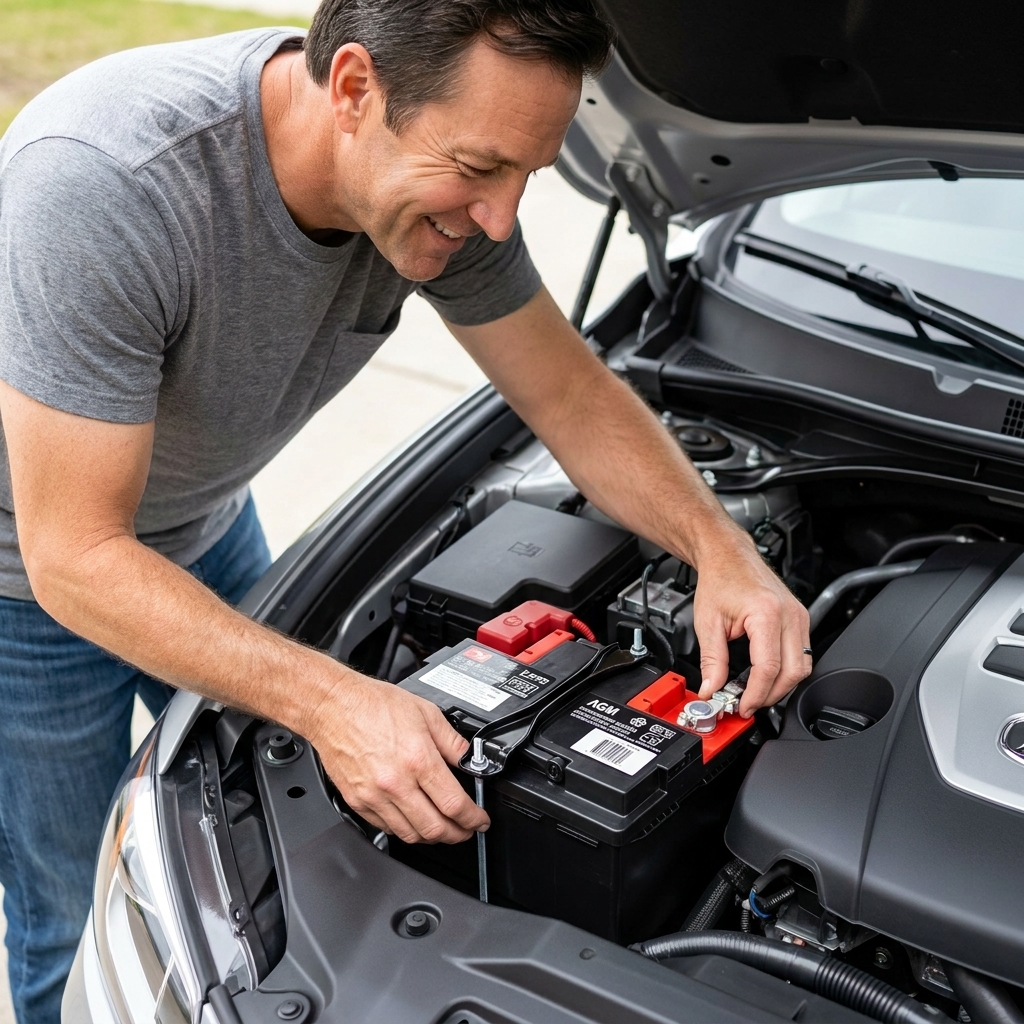
If you grew up like I did, a “battery replacement” meant two terminals, a hold-down bracket, and maybe resetting the clock. On a lot of newer vehicles, there’s one more step that can matter just as much as tightening the clamps: telling the car you installed a new battery.
That step is usually called battery registration, battery adaptation, or BMS reset (Battery Management System). And yes, on many models it requires a scan tool or an OEM-specific procedure.
What battery registration is
Battery registration is the vehicle’s way of resetting its expectations about the battery’s age and condition.
Many late-model cars do not charge with a fixed alternator setpoint anymore. They use a smart charging strategy based on:
- Battery current sensor data (often at the negative terminal)
- Battery temperature
- Calculated state of charge and state of health
- Driving patterns and electrical load
As a battery ages, the car may slowly change how it charges to keep it alive. When you install a brand-new battery, the car does not always automatically “figure it out.” Registering the battery tells the system: stop treating this battery like it’s old and reset charging adaptations and the aging model for a new battery.
Registration vs coding
These terms get thrown around interchangeably online, but they are not always the same thing. Here’s the practical difference.
Battery registration (adaptation/reset)
- You replaced the battery with the same type and same capacity (example: AGM 70Ah replaced with AGM 70Ah).
- You are mostly telling the car the battery is new so it can reset learned values.
- Often called: registration, adaptation, BMS reset, battery replacement function.
Battery coding (changing type or capacity)
- You changed something important about the battery’s spec, such as:
- Battery type: flooded lead-acid to AGM (or vice versa)
- Capacity: 60Ah to 80Ah
- On some brands: battery manufacturer selection or battery technology setting
Coding matters because an AGM battery wants a different charging strategy than a flooded battery. And a higher-capacity battery may be charged differently than a smaller one. If you code it wrong, you can shorten battery life or trigger charging system complaints.
Which cars might need it
In my shop days, the pattern was pretty consistent: vehicles with smart charging, start-stop systems, or heavy electrical load management are the usual suspects.
Often require registration or a BMS reset
- BMW/MINI (many models with IBS intelligent battery sensors are big on registration)
- Mercedes-Benz (many models)
- Audi/Volkswagen (many models, and some require coding when specs change)
- Volvo (many models)
- Jaguar/Land Rover (many models)
- Many start-stop equipped vehicles across brands
Sometimes optional or handled another way
- Many mainstream Japanese and Korean vehicles without start-stop
- Some Ford/GM/Chrysler products may have a BMS reset procedure that can be done without a scan tool (varies by model and year)
The catch: you cannot safely guess by brand alone anymore. Year, engine, charging architecture, and options can change everything.
How to check your vehicle
Forget the comments section. Check service information for your exact year, make, model, engine, and option package. Here are the reliable ways an everyday DIYer can do that.
1) Use a reputable service database
Use a source that mirrors professional repair info, such as OEM service information subscriptions, or well-known aftermarket databases. What matters is that it’s VIN-specific or at least model-year specific.
Search the battery replacement procedure for terms like:
- Battery registration
- Battery adaptation
- BMS reset
- “After replacing battery, perform…”
- “Energy management” or “power management”
2) Check the owner’s manual
Owner’s manuals will not always spell out registration, but many will mention that the vehicle may require initialization or that a dealer may need to perform a procedure after replacement.
3) Look for battery monitoring hardware
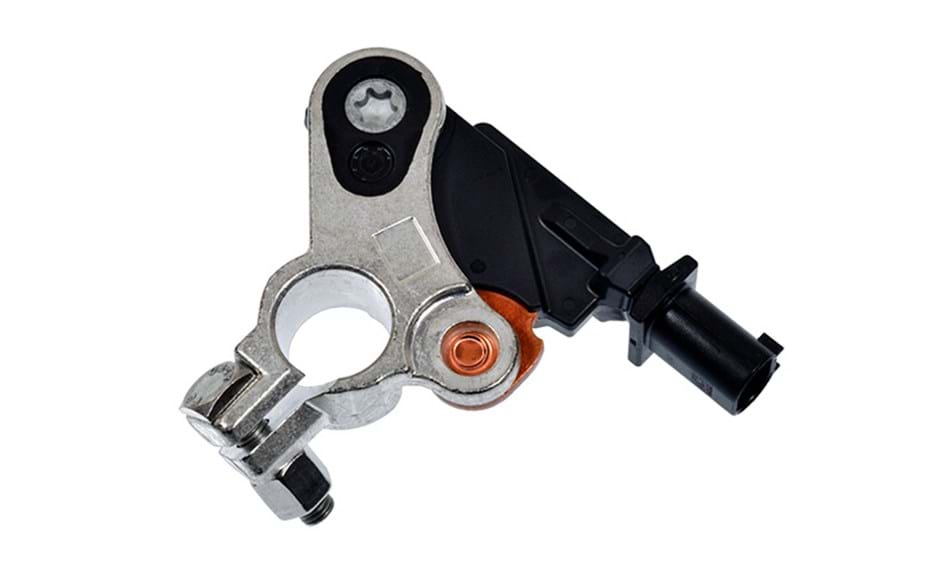
If you see a battery current sensor module attached to the negative terminal or a dedicated battery monitoring unit, that’s a clue you’re dealing with a managed charging system. Not proof, but a clue.
4) Call a dealer parts department with your VIN
This can be a low-effort move. Ask: “Does this vehicle require battery registration, and if so, is it registration only or coding for type/Ah?” Some parts departments can confirm what the OEM expects, but do not treat it as a substitute for service information.
What happens if you skip it
Sometimes nothing obvious. Other times, you get the kind of weird, expensive-sounding symptoms that make people think they bought a “bad battery” when the car is just managing it wrong.
- Shortened battery life from chronic undercharging or overcharging
- Start-stop stops working or becomes inconsistent
- Electrical convenience features acting up (auto HVAC behavior, accessory power timing, seat modules, etc.)
- Charging system warnings or battery/energy management messages
- Testing gets harder to interpret because smart charging and sleep strategies can complicate parasitic draw and alternator test results
Important: skipping registration usually does not cause an immediate no-start right after the swap. If the car will not crank after battery installation, you are probably dealing with something else (terminal connection, battery polarity, blown fusible link, security, etc.). I’m staying in the post-replacement setup lane in this article, but do not ignore basic installation checks.
Do you need a scan tool?
If your vehicle requires registration or coding, you need some way to command that function. That might be:
- A professional scan tool at a shop
- An OEM-level diagnostic tool
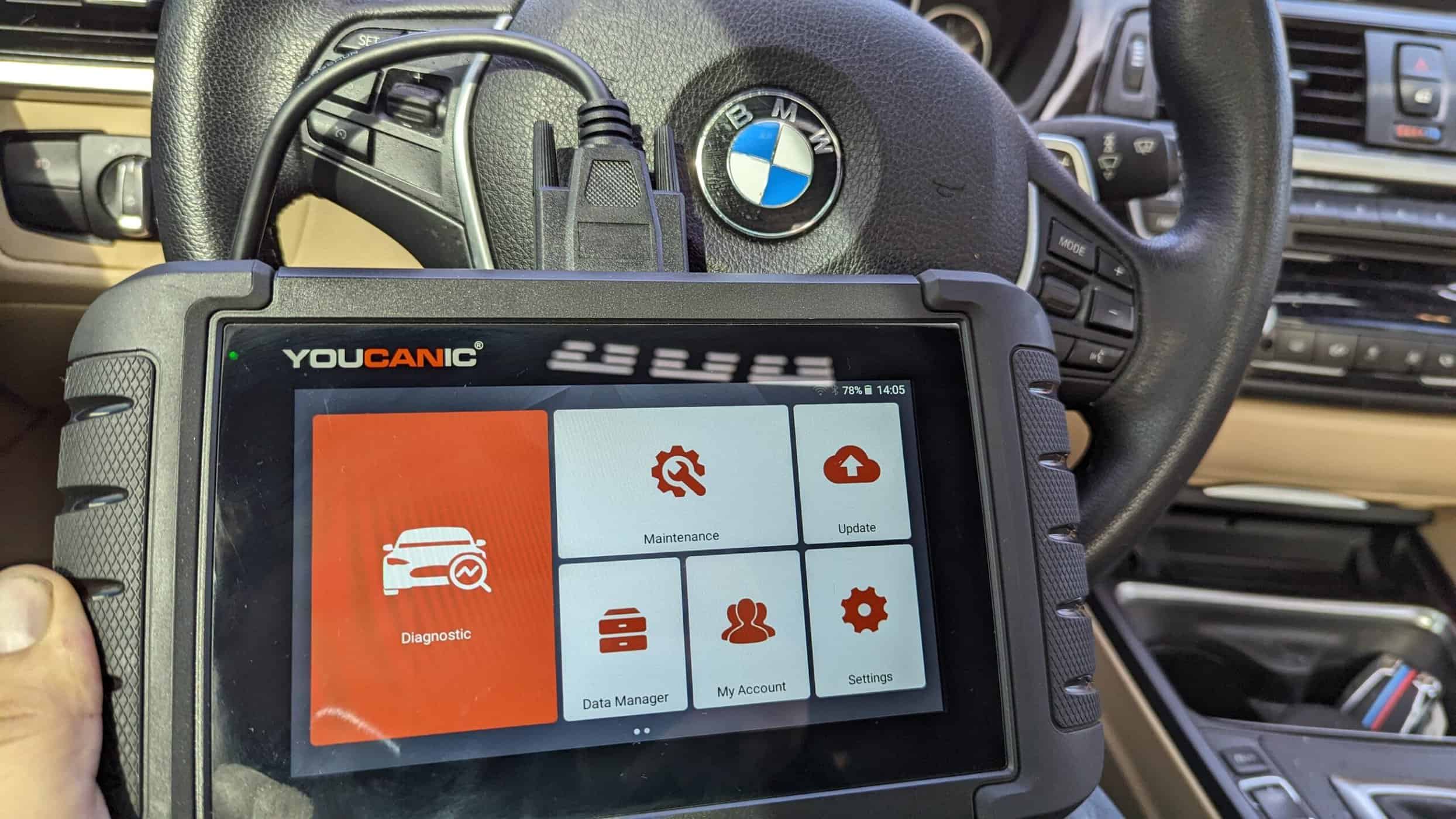
- A bi-directional aftermarket scan tool with battery registration support
- An OBD interface plus a make-specific app that supports battery functions on your platform
A basic code reader that only pulls generic P0 codes usually will not do it.
When a scan tool is typically required
- Many BMW/MINI battery registrations
- Many VW/Audi battery adaptations and coding changes
- Many Mercedes battery replacement functions
- Vehicles that require entering battery capacity (Ah) or technology (AGM vs flooded vs EFB)
When you might not need a scan tool
- Some vehicles have a built-in reset procedure (key cycles, headlight switch sequences, pedal sequences)
- Some models are claimed to auto-adapt after a drive cycle if battery type and capacity stayed the same, but you should still verify the OEM procedure before trusting that
Here’s the honest mechanic answer: if you cannot find an OEM or reputable service procedure that clearly says “no registration required,” assume you should verify registration needs before calling the job done.
What you need before you start
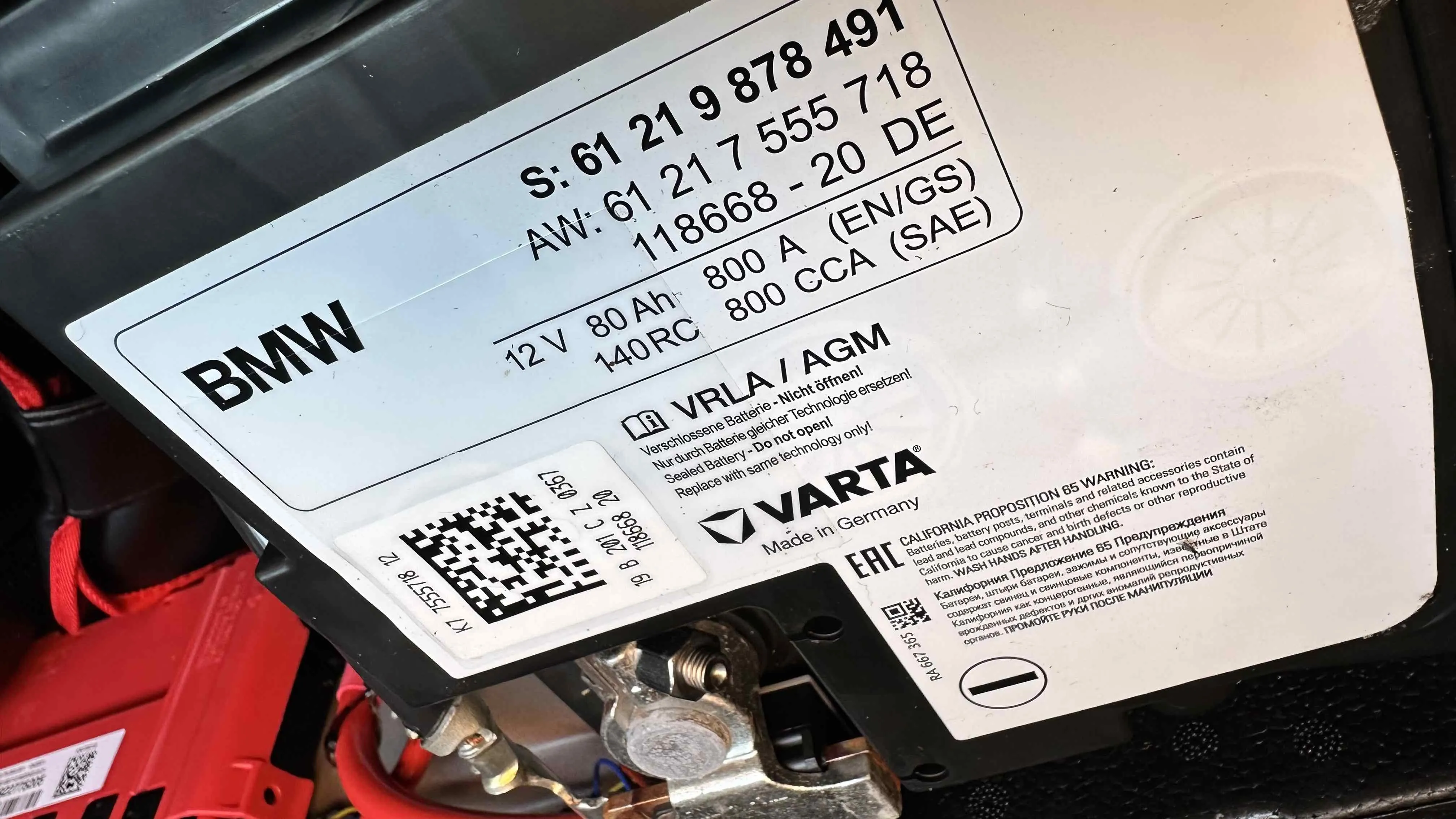
Before you poke at menus in a scan tool, gather the battery specs. You want to match what the car expects.
- Battery type: flooded lead-acid, AGM, EFB (common on start-stop cars)
- Capacity: Ah rating (example: 70Ah)
- CCA is important for starting, but many coding routines care more about Ah and type
- Battery location (engine bay vs trunk) since some systems monitor temperature differently
If you upgraded capacity on purpose, make sure the platform supports it and that coding is available. Randomly throwing in a bigger battery without confirming fitment and programming expectations is a good way to buy a battery twice.
What the process looks like
The exact steps vary, but most routines follow the same flow:
- Connect a stable scan tool interface to the OBD-II port.
- Turn ignition on (engine off), or follow the OEM key position instructions.
- Navigate to power management, battery, body control, or service functions.
- Select “battery replacement,” “battery registration,” or similar.
- If prompted, select battery type (AGM/EFB/flooded) and capacity (Ah).
- Confirm and write the change.
- Verify the scan tool shows success and clear any related energy management faults if required.
Good practice after registration: take the car for a normal drive and recheck for warning messages. On some platforms, a vehicle sleep cycle (locking it and letting it sit) helps modules fully settle.
When to use a shop
I’m all for DIY. I also hate seeing people turn a simple battery swap into a module problem. Hand it to a shop if any of these are true:
- Your vehicle requires coding because you changed battery type or Ah rating.
- The car has start-stop and the service info explicitly calls for registration.
- The battery is in a difficult location (under a seat, in the trunk with trim removal) and you are worried about damaging wiring, vents, or hold-downs.
- You need memory saving to preserve settings and the car is known to be fussy about low voltage events.
- You do not have a known-good charging system and you cannot maintain stable voltage during programming (low voltage during module communication can create headaches).
If you choose a shop, ask one specific question up front: “Will you register the new battery and code it if the battery spec changed?” If they hesitate, find a place that does this daily.
Quick safety notes
- Disconnect negative first, reconnect negative last. It reduces accidental short risk.
- Use the correct jump points and memory-saver hookup. If the battery is in the trunk, many vehicles have designated jump-start terminals under the hood. Use the OEM-approved points to avoid damage and weird electrical issues.
- Respect battery venting. Many trunk-mounted batteries use a vent tube. Make sure it’s reconnected. If the battery has two vent ports, confirm the unused side is properly plugged so fumes do not end up in the cabin.
- Do not overtighten terminal clamps. Stripped battery posts are a bad day.
- Keep voltage stable if you are doing any coding with the ignition on for an extended time. If the process requires a support charger, use one.
FAQ
My car runs fine. Should I still register the battery?
If your vehicle’s service information calls for it, yes. You might not notice a problem today, but an incorrect charge strategy can shorten battery life and cause start-stop or energy management quirks later.
Is battery registration the same as clearing codes?
No. Registration is a dedicated service function that resets learned battery aging values and sometimes updates battery parameters. Clearing codes does not do that.
If I install the same exact battery, do I still need coding?
Usually no. You might still need registration, but coding is typically only required when battery type or capacity changes. Always verify in service info for your model.
Can an auto parts store do battery registration?
Some can, many cannot. Most free parking-lot code scans are basic OBD-II. Registration often requires a more capable scan tool and the correct menu path for your vehicle.
Will disconnecting the battery reset the battery management system?
On most vehicles that require registration, simply disconnecting power does not perform a proper new-battery reset. The car may retain learned values or re-learn in a way that still treats the battery like it is old.
The takeaway
Swapping the battery is the wrenching part. Battery registration and coding are the setup part. On the right vehicles, that setup step is what keeps your smart charging system smart.
If you check the service info and it calls for registration or coding, do it. Use the proper scan tool, or pay a qualified shop for ten minutes of programming instead of gambling with a battery that can easily run $200 to $400+ on many AGM and start-stop applications.